5 Claude Code plugins that no developer should ignore
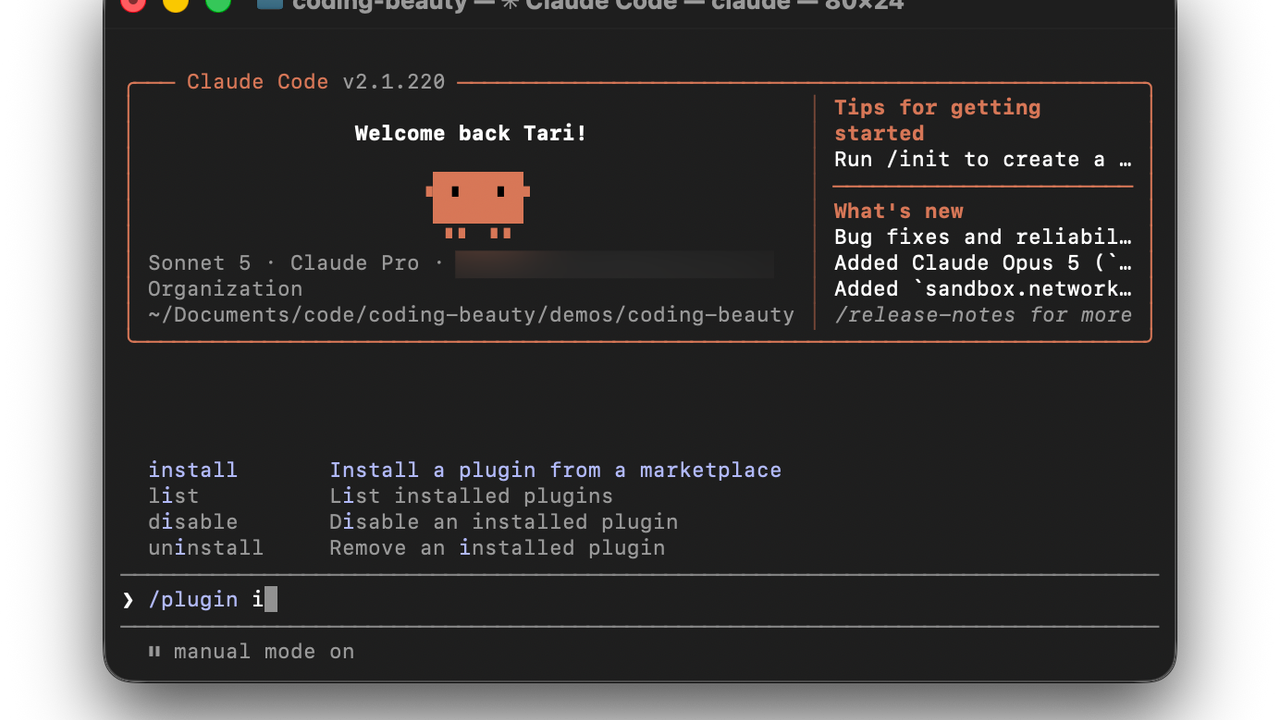
Yes Claude Code by itself is pretty good — but the default setup only scratches the surface of what it can do.
Extending it with plugins takes you to a whole different level as a developer.
Plugins are a new way to upgrade Claude Code with so many valuable capabilities, like:
- Crucial cost-saving automations and skills
- Deeper code understanding for greater accuracy and code quality
- Essential external integrations — with your repos, databases, dev tools, and so much more.
They all work together to elevate Claude Code into an much more capable development partner that levels up your productivity.
Let’s look 5 of the most important ones that every developer should know.
1. GitHub integration — Connect Claude directly to your repository workflow
The GitHub plugin brings your repository workflow directly into your terminal — allowing Claude to work with issues, pull requests, and commits without manual context switching.
Instead of copying issue descriptions, PR links, or code snippets into Claude, you can ask it to investigate and act directly within your GitHub workflow.
Official Package: github
Install:
/plugin install github@claude-plugins-official
Key Features:
- Issue Triage: Ask Claude to analyze issues and implement fixes directly from issue references.
- Pull Request Support: Generate PR descriptions, review incoming diffs, and push commits to branches.
- Repository Search: Search code, commits, and history across your organization’s repositories.
- Git Workflow Assistance: Understand branch changes and help prepare code for review.
2. LSP plugins — give Claude IDE-level code intelligence
LSP plugins transform Claude from a text-based coding assistant into a tool with deeper understanding of your programming language and codebase structure.
Without Language Server Protocol (LSP) integration, AI agents primarily understand code as plain text. LSP plugins connect Claude Code to language servers, giving it access to the same type of intelligence modern IDEs provide.
Official package: typescript-lsp, pyright-lsp, gopls-lsp, rust-analyzer-lsp
Install:
/plugin install typescript-lsp@claude-plugins-official
Key features:
- Project-Wide Navigation: Understand symbols, references, definitions, and relationships across large codebases.
- Jump-to-Definition Support: Trace functions, classes, and variables throughout your application.
- Real-Time Diagnostics: Detect compiler errors, type issues, and broken imports after edits.
- Reduced Hallucinations: Prevent incorrect function signatures and invalid API assumptions.
3. Feature Dev — Plan, build, and review features with confidence
Feature Dev is Anthropic’s official plugin for building software features with a structured, end-to-end workflow. It guides Claude through codebase exploration, architecture planning, implementation, and review instead of jumping straight into coding.
Official package
feature-dev@claude-plugins-official
Official installation
/plugin install feature-dev@claude-plugins-official
Key features
- Guided 7-phase development workflow
- Specialized exploration, architecture, and review agents
- /feature-dev command for end-to-end implementation
- Architecture-first approach before coding
4. Frontend Design — Make every UI look professionally designed
Frontend Design helps Claude generate polished, production-ready interfaces with modern UI and UX practices.
It automatically applies better layouts, typography, spacing, and visual hierarchy to create designs that avoid generic AI aesthetics.
Official package
frontend-design@claude-plugins-official
Official installation
/plugin install frontend-design@claude-plugins-official
Key features
- Generates production-quality interfaces
- Applies modern UI and UX best practices
- Creates responsive, design-system-aware layouts
- Auto-invokes during frontend development
5. CLAUDE.md Management — Help Claude remember your project correctly
CLAUDE.md Management helps keep your project’s CLAUDE.md accurate as your codebase evolves.
It audits project instructions, updates outdated guidance, and captures new knowledge so Claude always has reliable project context.
Official package
claude-md-management@claude-plugins-official
Official installation
/plugin install claude-md-management@claude-plugins-official
Key features
- Audits and improves CLAUDE.md files
- Updates project guidance automatically
- Captures learnings from development sessions
- Preserves accurate project memory