This new AI tool from Anthropic just destroyed UI & web designers

This new AI design tool from Anthropic is sending shockwaves across the entire web design industry.
Claude Design is well and truly here — with so many features that completely eliminate the need and cost of hiring a web designer in the vast majority of cases.
And it’s far more advanced that those one-time design generators — this is a full-blown collaborative design environment that helps you discover, refine, compare, and implement ideas faster than ever before.
Generating a UI with dynamically generated controls using Claude Design:
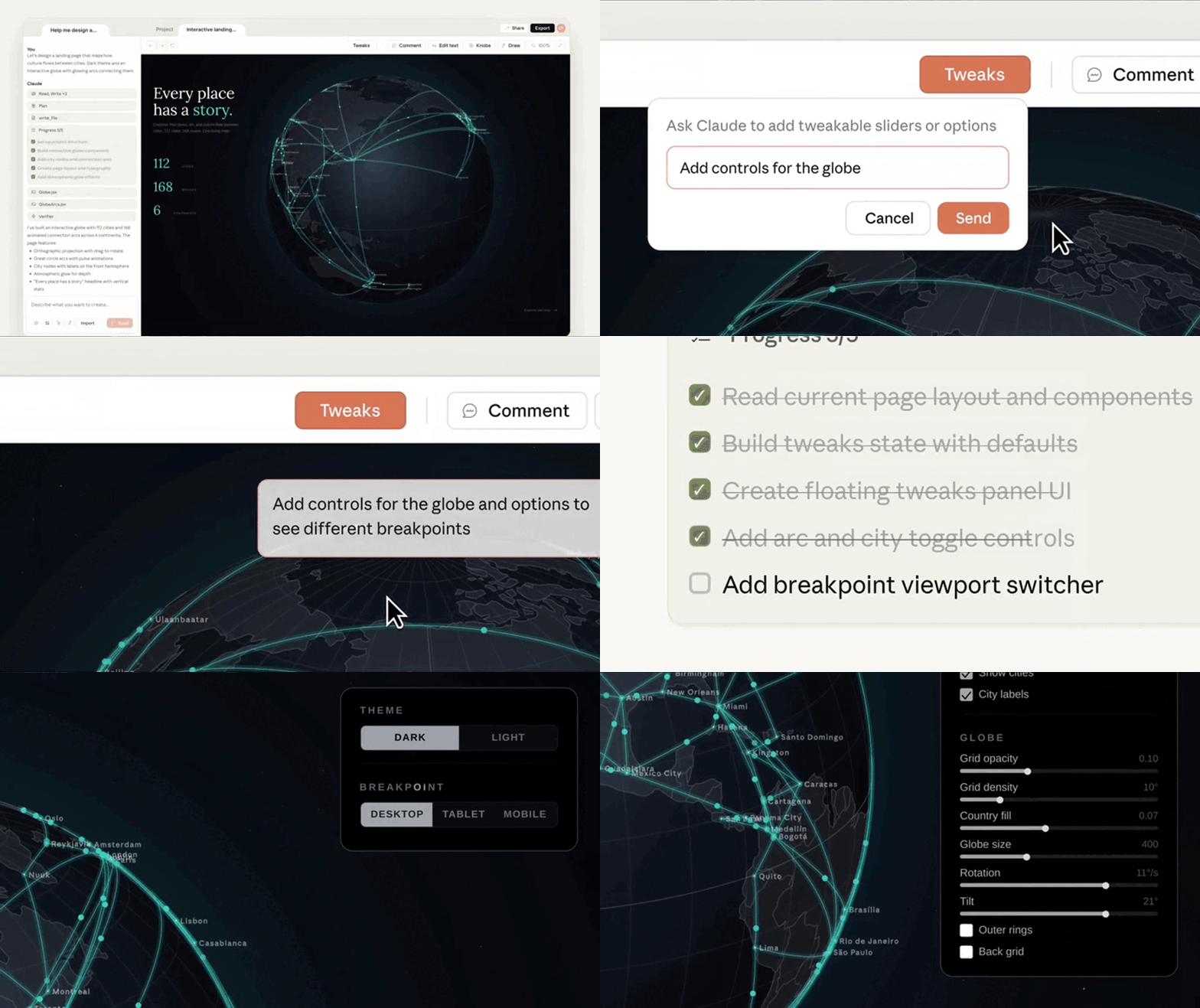
And it works hand-in-hand with Claude Code — you can go from idea to design to full working code in no time at all.
Sophisticated dynamic tweaks panels
This is hands-down one of the most incredible features.
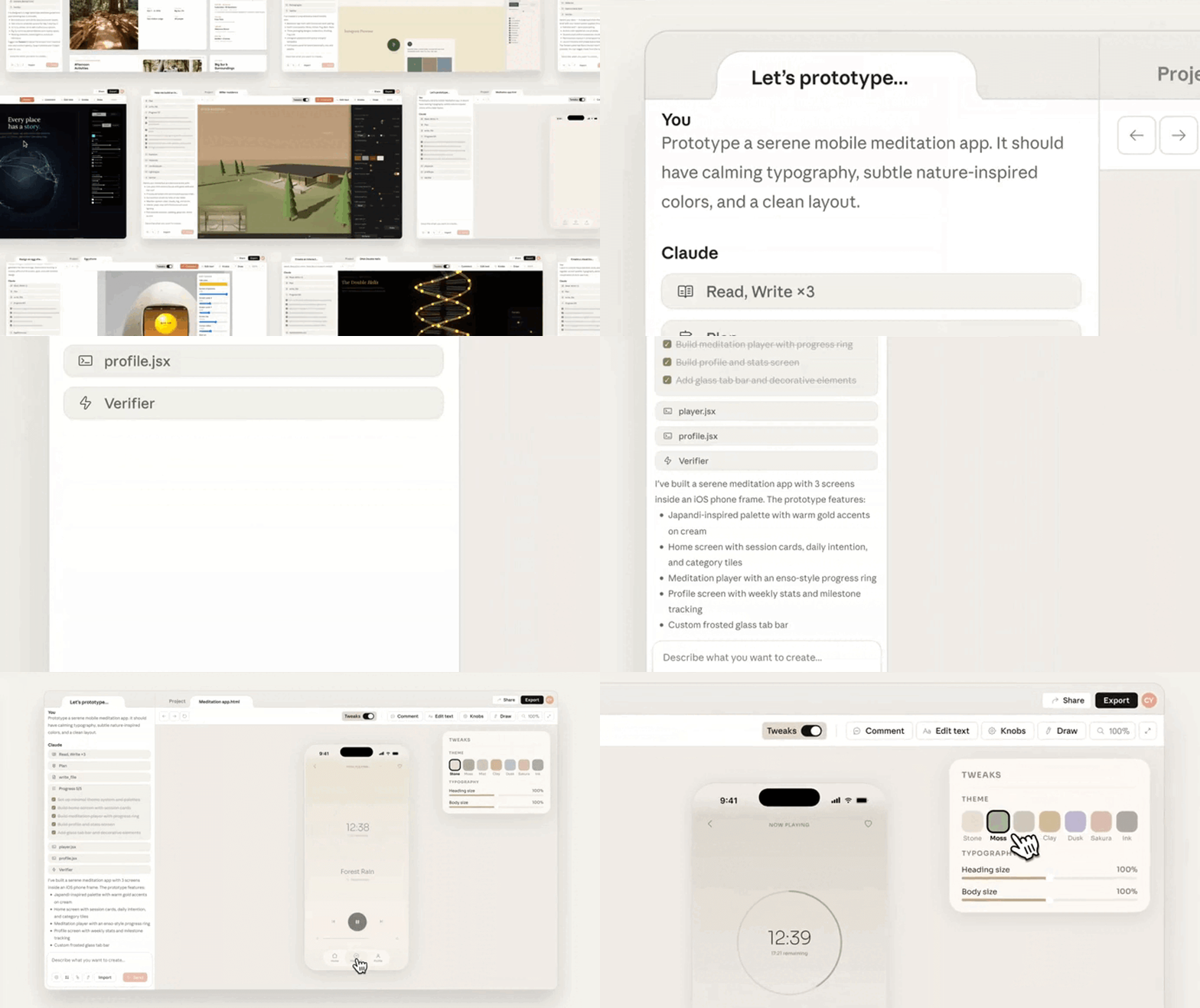
When Claude creates a design, it can automatically create visual controls tailored to that specific interface.
These controls can include:
- Sliders
- Toggles
- Color palettes
- Spacing controls
- Typography adjustments
- Density settings
- Layout controls
The generated design has its own custom tweaks that let you adjust the theme and typography:
Instead of typing:
"Reduce the padding by 20%."
or
"Make the design feel more compact."
You can adjust settings directly on the canvas and see changes instantly.
This instantly gives you:
- Faster iteration
- Fewer prompt cycles
- Less token usage
- More precise visual control
The experience feels closer to using professional design software than just chatting with an AI.
Guided design questionnaires
A major challenge with AI design tools is knowing what prompt to write.
Claude Design addresses this with guided questionnaires and visual discovery exercises.
Rather than presenting a blank canvas, it asks users questions like:
- What are you building?
- Who is the audience?
- What style do you prefer?
- Which layouts appeal to you?
- What is the primary goal of the experience?
The platform can also present visual options and taste tests to help users identify preferences before design generation begins.
This approach offers several advantages:
- Reduces prompt anxiety
- Helps users clarify their vision
- Produces more relevant designs
- Makes design accessible to non-designers
Instead of guessing what to ask for, users are guided toward a solution.
Multi-option brainstorming
Traditional design workflows often focus on a single concept at a time.
Claude Design encourages broader exploration.
Rather than generating one design, it can produce multiple radically different approaches simultaneously.
For example, a landing page request might generate:
- A minimalist concept
- A bold marketing-focused layout
- A highly visual creative direction
- A data-heavy enterprise design
All options appear side-by-side on the same canvas.
This makes it easier to:
- Compare ideas
- Identify strengths and weaknesses
- Gather stakeholder feedback
- Combine the best elements into a final concept
Instead of asking for version after version, teams can evaluate several directions immediately.
Direct design-system syncing
Many AI-generated interfaces look impressive but are disconnected from real products.
Claude Design attempts to solve this through /design-sync.
/design-sync lets Claude connect to:
- GitHub repositories
- Storybook libraries
- Existing applications
- Internal design systems
Once connected, Claude can use:
- Real React components
- Company color palettes
- Existing typography systems
- Approved design patterns
- Spacing and layout rules
This means prototypes are built using actual product assets rather than generic SaaS templates.
So you end up getting:
- Better brand consistency
- More realistic prototypes
- Less redesign work
- Faster implementation
Interactive canvas controls
Claude Design is not limited to text chat.
You can interact directly with designs through the canvas itself.
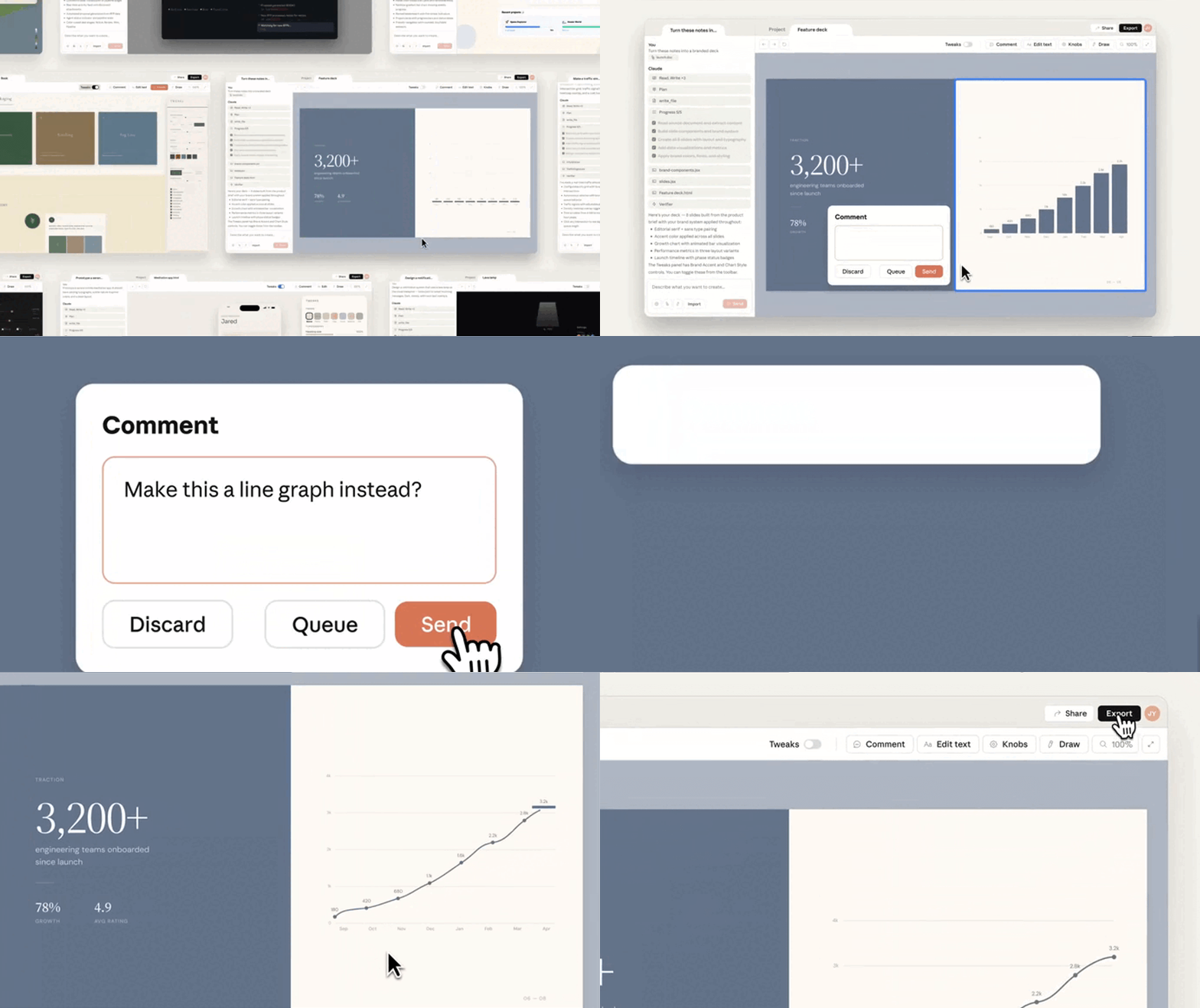
Capabilities include:
- Pin-comments on individual elements
- Drag-and-drop adjustments
- Visual alignment changes
- Layout refinements
- Direct element manipulation
This hybrid workflow combines AI generation with traditional design interactions.
Not every design change should require a prompt.
Sometimes it is faster to simply move an element.
Claude Design supports both approaches.
Seamless handoff to Claude Code
The final stage of the workflow is where Claude Design becomes especially powerful.
Once a prototype is approved, Claude can package the project into a structured handoff bundle.
That bundle can flow directly into Claude Code or other AI-assisted development workflows.
This gives you a continuous pipeline:
Idea → Prototype → Refinement → Design-System Validation → Claude Code → Production Software
You end up getting:
- Reduced designer-developer handoff friction
- Less documentation overhead
- Faster implementation
- Better alignment between design and code
Instead of rebuilding requirements from screenshots or mockups, development can begin with the design context already intact.
Why it matters
Claude Design represents a shift from AI-generated mockups to AI-assisted product creation.
Its key differentiators include:
- Dynamic Tweaks panels
- Guided design interviews
- Multi-option brainstorming
- Design-system synchronization
- Interactive canvas controls
- Direct integration with Claude Code
Together these features help you and your team move from idea to implementation faster while maintaining consistency with existing products and design standards.
Rather than simply generating screens, Claude Design focuses on improving the entire journey from concept to production-ready software.